
About the Author

Richard Lingsch
Enterprise Infrastructure Strategy, Nubius Solutions
Richard has spent 30+ years in infrastructure, hosting, cloud, and application delivery, from IT consulting at Deloitte to co-founding eApps Hosting, where he led the shift from Domino and Java/Tomcat hosting to Xen, KVM, and enterprise OpenNebula. He works with midmarket companies reassessing VMware and virtualization economics, helping them segment workloads and migrate only where the business case holds.
n8n starts life as a container someone ran to try an idea. It works, the team builds three workflows, then thirty, and at some point a business process that matters depends on it. Nobody made a decision to put it in production. It arrived there by accident, still running with SQLite, still single-process, still on the host where it was first tried, still with no backup of the credential store.
Then the container restarts and every execution in flight is gone. Or the workflow count grows and the single Node.js process starts blocking, so webhooks time out and the upstream system retries, and now the same workflow is running four times against a payment API. Or someone discovers that the encryption key was auto-generated inside a container with no persistent volume, and every stored credential is unrecoverable.
Clustering n8n is not primarily about scale. It is about turning an accidental dependency into a system with defined behaviour under failure. Here is how that is actually done.
The Architecture: When Queue Mode Makes Sense
By default, n8n can run as a single instance handling triggers, workflow execution, and the editor UI. That can be sufficient for smaller production environments. As execution volume, concurrency, or availability requirements increase, queue mode separates those responsibilities and provides a cleaner path to scale.
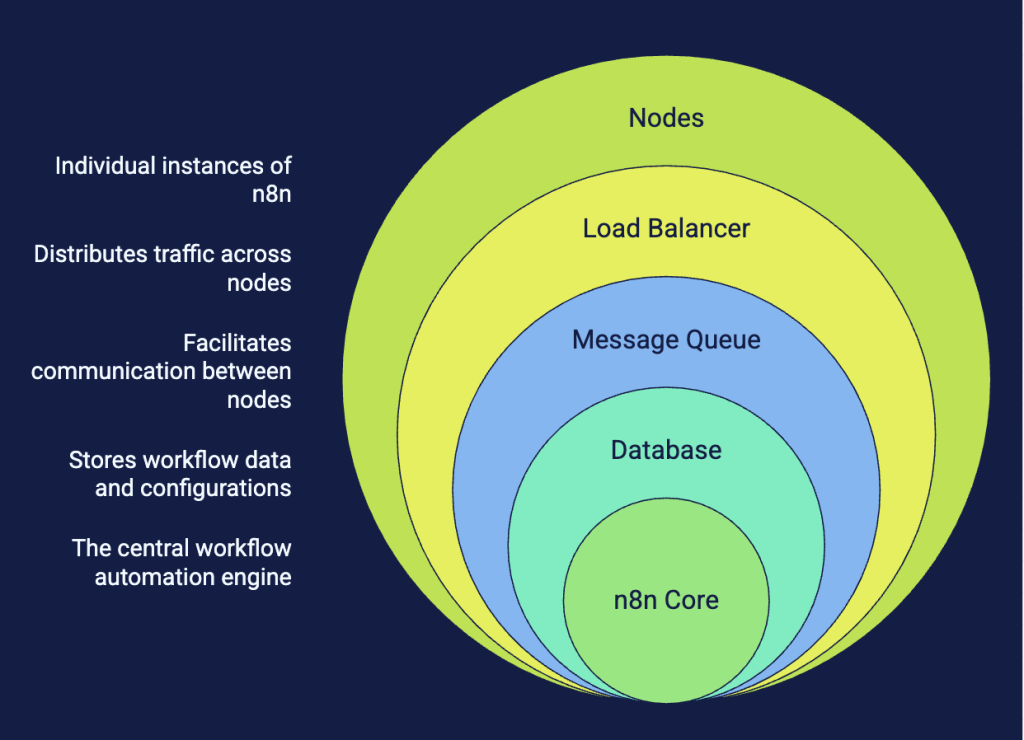
Queue mode separates the main instance from the workers that execute production workflows. Redis coordinates the execution queue, while the shared database stores workflow and execution data. Dedicated webhook processors can also be added when inbound webhook volume warrants scaling that function separately.
Between them sits Redis as the queue broker, and behind them sits PostgreSQL as the shared database holding workflows, credentials, execution history, and settings.
A queue-mode deployment therefore introduces several infrastructure components: the main n8n instance, workers, Redis, PostgreSQL, and, where needed, dedicated webhook processors and load balancing. Each of those components has its own availability, backup, monitoring, and capacity requirements.
Move Beyond SQLite Before Scaling Out
The default database is SQLite, and it is the reason most n8n deployments cannot be clustered without a migration.
SQLite can work well for smaller single-instance deployments, but it is not supported for a distributed queue-mode architecture. Before scaling n8n across workers, migrate to PostgreSQL and establish a proper backup and retention strategy.
Migrate to PostgreSQL first, before you introduce a second instance of anything. n8n provides an export and import path for workflows and credentials, and the migration is straightforward if done early and increasingly painful once execution history has accumulated.
Size the PostgreSQL instance against execution volume, not workflow count. The execution history table grows in proportion to how often workflows run and how much data each execution carries, and it grows fast. A deployment running a few thousand executions per day with substantial payloads will accumulate tens of gigabytes in months. Configure execution data pruning deliberately: decide how long you actually need history, set the retention accordingly, and verify the pruning is running. A database that grows without bound will eventually take the platform down, and it will do so slowly enough that nobody notices until the disk alert fires.
Connection pooling matters more than it looks. Every worker opens connections. Scale to twelve workers and you have multiplied the connection count without changing anything else. Put a pooler in front of PostgreSQL or configure the pool limits explicitly, because hitting the connection ceiling produces failures that look like database outages but are configuration problems.
Redis as the Queue: Configure It Like a Queue, Not a Cache
Redis in an n8n cluster is not a cache. It holds jobs. If Redis loses data, you lose executions that were queued but not yet run.
This changes the configuration. A Redis instance tuned as a cache with an eviction policy that discards keys under memory pressure will discard your job queue. Set the eviction policy so that no eviction occurs, and monitor memory headroom instead. Enable persistence appropriate to your tolerance for job loss on restart.
For availability, a single Redis node is a single point of failure for the entire execution path. Redis Sentinel or a managed clustered configuration removes that, at the cost of the workers needing to understand the topology. Decide which failure you are willing to accept and configure accordingly rather than discovering it during a node failure.
Monitor queue depth as your primary scaling signal. Growing queue depth means workers cannot keep up. Zero queue depth with high worker CPU means the workers are saturated by long-running executions rather than by volume. These are different problems with different fixes, and queue depth is the metric that distinguishes them.
The Encryption Key: The One Irrecoverable Mistake
n8n encrypts stored credentials with an encryption key. If a key is not supplied explicitly, n8n generates one during initial startup and stores it in its configuration data. In a distributed deployment, every main, worker, and webhook process must use the same encryption key.
In a clustered deployment this fails in two distinct ways. First, every instance generates a different key, which means credentials saved by one instance cannot be decrypted by another, and the errors are confusing. Second, when a container is replaced, the key is gone, and every credential in the database is permanently unreadable.
Set the encryption key explicitly, from a secret store, identical across every instance in the cluster. Back it up separately from the database. A database backup without the corresponding encryption key is a backup of unreadable ciphertext, which is to say it is not a backup at all.
This is worth testing rather than assuming. Restore a database backup into a clean environment, supply the key, and confirm a credential decrypts and a workflow executes. If it does not, you have a recovery plan that does not work, and better to learn that on a Tuesday afternoon than during an incident.
Webhooks, Load Balancing, and the Idempotency Problem
Webhook endpoints need a stable, reachable URL, which means a load balancer in front of the webhook instances. HAProxy or an equivalent handles this well, and it is the same layer we manage as part of the load balancing and proxy stack under Managed AppOps.
Three configuration details matter and all three are commonly missed.
Timeouts. Default load balancer timeouts are often shorter than a webhook that triggers a synchronous workflow. If the balancer times out at 30 seconds and the workflow takes 45, the caller gets an error and retries, while the original execution completes successfully in the background. You now have two executions from one event. Either extend the timeout or, better, configure the webhook to respond immediately and process asynchronously.
Body size limits. Webhook payloads carrying file uploads or large JSON documents will hit default proxy body size limits and be rejected with an error that appears to come from n8n but does not.
Idempotency. Upstream systems retry. Networks fail. Load balancers fail over. Any of these can deliver the same webhook twice, and n8n will happily execute the workflow twice. If the workflow has side effects, which is the only reason to have a workflow, duplicate execution is a correctness bug. Build deduplication into workflows that touch anything transactional, keyed on an identifier from the source event.
If multiple main instances are deployed, configure the load balancer with session persistence. n8n requires sticky sessions for a supported multi-main configuration.
Scheduled Triggers and the Multiple Main Instance Trap
Workflows with cron triggers must fire exactly once per schedule. If two main instances both believe they own the scheduler, every scheduled workflow runs twice.
The safer pattern for most deployments is a single main instance for scheduling and UI, scaled workers for execution, and separate webhook instances for inbound triggers. The main instance becomes a point of failure for the editor and the scheduler but not for in-flight executions, and its recovery time is a container restart. Accept that, or configure multi-main properly. Do not run two main instances and hope.
Observability: What to Watch and Why
Container health checks tell you a process is running. They tell you nothing about whether workflows are executing correctly.
The metrics worth alerting on: queue depth trend, execution failure rate by workflow, execution duration percentiles, worker count versus expected, PostgreSQL connection utilisation, Redis memory headroom, and execution history table size.
Execution failure rate by workflow is the highest-value signal. An overall failure rate looks fine while one critical workflow fails every time, because it runs once daily against thousands of successful executions elsewhere. Alert per workflow for the ones that matter.
Log aggregation needs to span all workers, because an execution runs on one arbitrary worker and debugging it means finding which one. Centralised logs with the execution ID as a searchable field turns a twenty-minute hunt into a query.
Deployment, Versioning, and Change Control
Workflows are code. They have logic, dependencies, and failure modes, and they should be versioned like code.
n8n’s workflow export produces JSON that can live in a repository. Doing so gives you diff, review, and rollback, none of which the UI provides on its own. Without it, the only record of what a workflow did before someone changed it is whatever they remember.
Version upgrades deserve a staging environment. n8n moves quickly, node behaviour changes between versions, and a workflow that depends on a specific node’s output shape can break on upgrade in ways that are silent until the downstream system receives malformed data. Test upgrades against a copy of your real workflows before applying them to the cluster.
This is workflow automation being treated as a governed application with a lifecycle rather than a tool someone installed, which is the same discipline we set out in our guide to application lifecycle management.
Sizing the Cluster
Start with the execution profile. Total daily executions tells you throughput. The distribution of execution duration tells you concurrency. A workload of ten thousand short executions per day needs different provisioning from one thousand executions that each run for two minutes calling slow external APIs.
Workers are mostly waiting on I/O in the second case, which means you can run high concurrency per worker with modest CPU. In the first case they are CPU-bound and concurrency per worker should stay low.
Set worker concurrency explicitly rather than accepting defaults, then load test. Push synthetic executions through at above expected peak and watch where it breaks. It will break somewhere, and the point of the exercise is to find out where before your business process does.
Where Nubius Fits
A scaled n8n deployment depends on the same infrastructure disciplines as other production applications: reliable databases, queueing, load balancing, operating systems, backups, monitoring, and recovery planning. Those supporting layers are where Nubius Managed AppOps fits. Your team can remain focused on the workflows while Nubius manages the infrastructure they depend on.
For complex cases such as cluster upgrades, service recovery, or troubleshooting environment issues that affect application behaviour, Nubius OpsAssist AnyCloud provides on-demand engineering depth across whichever platform you are running on. If you would rather the whole thing ran on managed infrastructure from the start, Nubius Cloud Hosting combines hosting and AppOps in one place.
If you have an n8n instance that quietly became business-critical and now needs to behave like it, get in touch.