
About the Author

Richard Lingsch
Enterprise Infrastructure Strategy, Nubius Solutions
Richard has spent 30+ years in infrastructure, hosting, cloud, and application delivery, from IT consulting at Deloitte to co-founding eApps Hosting, where he led the shift from Domino and Java/Tomcat hosting to Xen, KVM, and enterprise OpenNebula. He works with midmarket companies reassessing VMware and virtualization economics, helping them segment workloads and migrate only where the business case holds.
The data transfer itself is only one part of a MongoDB migration to Atlas. Problems often appear after cutover, when differences in indexing, application connectivity, working-set size, or cluster sizing begin affecting production performance.
The data transfer itself is only one part of a MongoDB migration to Atlas. Problems often appear after cutover, when differences in indexing, application connectivity, working-set size, or cluster sizing begin affecting production performance.
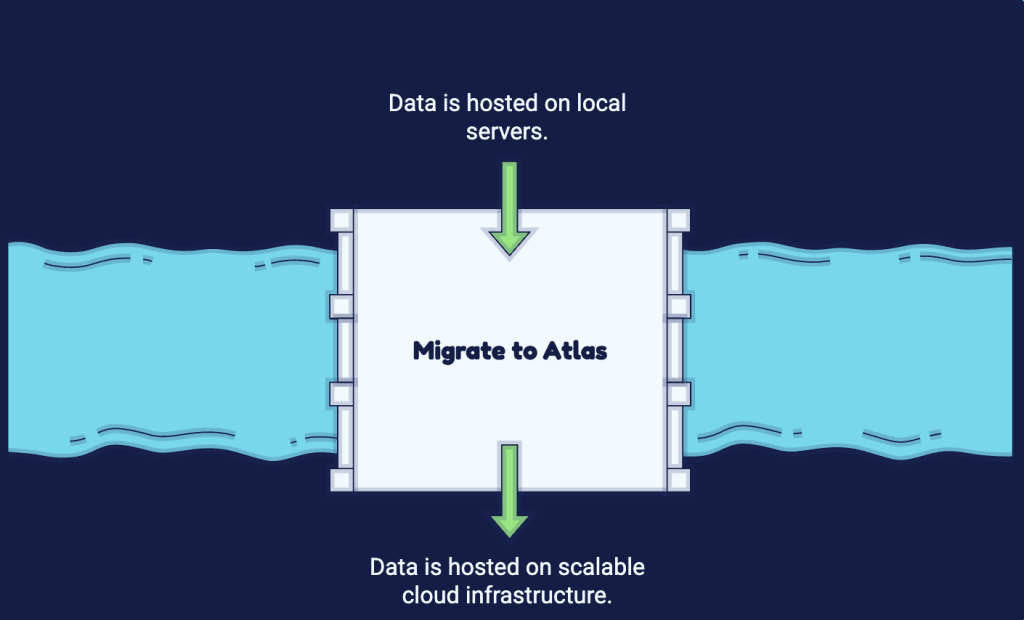
The data movement is the easy part. MongoDB has spent years making live migration tooling reliable. What breaks is everything around the data: the network path, the driver behaviour, the index strategy, the read preference semantics, the backup expectations, and the operational assumptions that were baked into a self-hosted deployment years ago and never written down.
This is a walkthrough of how to plan and execute a MongoDB migration to Atlas the way an infrastructure team actually has to do it, with the failure modes called out where they occur rather than buried in a risk register nobody reads.
Start With an Honest Inventory of What You Are Actually Running
Before anyone touches a migration tool, you need a factual picture of the source deployment. Not the architecture diagram from the wiki. The live state.
The version matters early because Atlas migration options support specific source and destination versions. An older source may require one or more upgrades before migration, or a different migration method altogether. Each version transition introduces its own compatibility considerations, so combining multiple upgrades with the platform migration in a single maintenance window adds unnecessary risk.
Storage engine configuration matters next. If the source is running with a non-default WiredTiger cache size, a custom compression setting, or a journal commit interval that was tuned years ago for a specific disk profile, those settings do not transfer. Atlas manages them. Any performance characteristic that depended on that tuning will change.
Then the working set. This is the number that determines your Atlas tier, and it is the number teams most consistently guess wrong. The working set is not your total data size. It is the portion of data and indexes that gets touched frequently enough that it needs to live in memory. If your indexes total 90 GB and your queries touch most of them, a cluster tier with 32 GB of RAM will spend its life reading from disk, and every latency percentile you care about will degrade. On self-managed hardware with local NVMe, that degradation might have been tolerable. On a cloud-backed volume with provisioned IOPS, it is not.
Finally, the client inventory. Every application, every cron job, every ad-hoc analytics script, every BI connector, every forgotten Lambda function that someone wrote in 2021. Each of them has a connection string, a driver version, and an assumption. You cannot cut over what you have not enumerated.
This inventory discipline is the same principle that separates controlled platform transitions from expensive ones, and it is a recurring theme in the failure patterns we outline in our analysis of common cloud migration risks.
Sizing the Atlas Cluster Against Reality, Not Against the Invoice
Atlas cluster tiers define combinations of CPU, memory, storage, and IOPS characteristics, with the exact resources varying by cloud provider and region. That makes accurate workload sizing important because changing one resource requirement can affect the tier and overall cost.
The practical approach is to measure, not estimate. On the source deployment, collect the cache dirty percentage, the cache eviction rate, and the ratio of pages read into cache from disk over a full weekly cycle including your heaviest batch windows. If the source is comfortably serving reads from cache with headroom, you can size the target to match that memory footprint. If the source is already evicting aggressively, you are migrating an existing problem into a platform where fixing it costs more per gigabyte.
Storage IOPS deserve separate attention. Atlas ties baseline IOPS to provisioned volume size on some configurations, which means a workload that needs high IOPS but modest capacity ends up over-provisioning storage purely to buy throughput. Model this before you commit. A cluster that looks affordable on the tier comparison page can become a line item nobody predicted once you account for the storage class you actually need, the backup retention you actually want, and the cross-region data transfer your architecture actually generates. That pattern of a modest headline number expanding into an unpredictable invoice is exactly what we break down in our piece on unpredictable costs in modern cloud infrastructure.
Region selection is a latency decision before it is a cost decision. If your application tier sits in one provider region and you place the Atlas cluster in another because the pricing was marginally better, you have just added round-trip latency to every single database call in your application. For a request that makes twelve sequential queries, an extra 8 milliseconds per call is roughly a tenth of a second added to user-facing response time, permanently.
Network Path Design: Where Most Atlas Migrations Get Ugly
Atlas gives you three broad connectivity models, and the choice you make here is difficult to reverse cleanly.
IP access lists over the public internet are the simplest and the weakest. Traffic is TLS-encrypted, but you are depending on a source IP allowlist as your access control boundary. If your application tier sits behind a NAT gateway with a dynamic address pool, or if you have engineers connecting from residential connections, this becomes an operational treadmill of allowlist churn. It is workable for development. It is a poor fit for production data with any compliance exposure.
VPC peering connects your cloud VPC directly to the Atlas VPC. It works well and keeps traffic off the public internet, but it comes with the CIDR overlap problem. If your existing VPC address space collides with the Atlas VPC range, peering will not establish, and re-addressing a production VPC is not a small task. Check the CIDR ranges before you provision anything. Peering is also non-transitive, which means workloads sitting in a different VPC that reaches your application VPC through a transit gateway will not automatically reach Atlas.
Private endpoints are often a strong production option when narrowly scoped private connectivity is preferred. They provide private access to Atlas without extending the broader network trust relationship created by VPC peering, and they avoid the CIDR-overlap requirement of peering. The tradeoff is additional endpoint and DNS configuration, along with provider-specific costs.
These choices govern how applications connect to Atlas after migration, but they do not necessarily determine the migration data path itself. Atlas pull live migration, for example, does not use VPC peering or private endpoints for the migration traffic. Once application connectivity is established, DNS is another area that deserves explicit testing. Atlas connection strings use SRV records. Split-horizon DNS environments, on-premises resolvers with restrictive forwarding rules, and container platforms with their own DNS layers all have a habit of resolving the SRV record but failing to resolve the individual host records it points to. The symptom is a driver that connects, discovers the topology, and then cannot reach any member. Test SRV resolution from inside the actual runtime environment, not from an engineer’s laptop.
If your target state involves a database in a cloud region while a meaningful part of the estate stays on-premises, the connectivity design becomes a first-class engineering problem rather than a configuration checkbox. Teams working through that pattern generally benefit from having the network layer designed alongside the migration rather than after it, which is where our cloud migration consulting engagements typically start.
Executing the Cut: Live Migration Versus Dump and Restore
There are two credible approaches and the choice depends on how much downtime you can actually afford, measured honestly.
Live migration keeps the source and target in sync by tailing the oplog, then cuts over when replication lag reaches near zero. It is the right answer for anything with a downtime budget measured in minutes. It requires that the source oplog is large enough to cover the entire initial sync plus the catch-up window. If the initial sync takes eighteen hours and your oplog holds four hours of history, the sync will fall off the back of the oplog and fail, and you will find out eighteen hours in. Size the oplog first. Measure your oplog window under peak write load, not average.
Dump and restore using mongodump and mongorestore is appropriate for smaller datasets and generous windows. The trap is index builds. A restore that rebuilds every index inline will take dramatically longer than the document insert time suggests. The pattern that works is to restore documents with index builds deferred, then build indexes afterwards in a controlled sequence, monitoring the impact on the cluster as you go.
Either way, plan the index strategy explicitly rather than inheriting it. Migrations are the one legitimate opportunity to drop the indexes nobody uses. Pull index usage statistics from the source over a representative period. You will almost always find indexes consuming memory and slowing every write, serving queries that no longer exist. Every index you carry across is memory you have to pay for in your Atlas tier forever.
Application Layer Changes Nobody Budgets For
The connection string change is trivial. The behaviour change is not.
Atlas enforces TLS. If any client in your inventory is running a driver old enough to have quirks with modern TLS negotiation, or a runtime with an outdated certificate trust store, it will fail to connect and the error will not say why in any useful way. Audit driver versions during the inventory phase.
Retryable writes are enabled by default in modern drivers, and Atlas failovers are more frequent than a stable self-managed replica set that has been up for two years. Application code that assumed the database is always there and never wrote a retry path will now surface transient errors during routine maintenance events. This is not an Atlas defect. It is the platform surfacing an assumption that was always wrong.
Read preference semantics change in practice even when the configuration is identical. A read preference of secondary against a self-managed set where all members sat on the same switch behaves very differently from the same setting against a multi-region Atlas cluster where a secondary is 60 milliseconds away.
Connection pooling deserves a hard look. Serverless functions and container platforms that scale horizontally can open far more connections than a fixed application fleet, and Atlas connection limits vary by cluster tier and configuration. A traffic spike combined with poorly managed connection pools can create connection pressure that looks like a database problem when the underlying issue is client behaviour.
After the Cutover: The Part That Determines Whether It Was Worth It
Run both environments in parallel for longer than feels necessary. Keep the source replica set alive, read-only, for at least a full business cycle. The rollback path costs almost nothing to maintain and is invaluable the one time you need it.
Establish the performance baseline immediately, before anyone changes anything else. Capture query latency percentiles, cache hit ratios, and index utilisation in the first week. Without that baseline, every performance conversation for the next six months becomes an argument about whether things were always this way.
Validate that backups actually restore. An Atlas backup policy that has never been tested with a real restore into a real target is a hope, not a control. Restore to a test cluster, point a read-only copy of the application at it, and confirm the data is what you expect.
Then revisit the tier. The sizing you chose during planning was based on measurements from a different platform. Six weeks of real metrics on the actual cluster will tell you whether you over-provisioned or under-provisioned, and that decision is worth revisiting deliberately rather than leaving in place by default.
Where Nubius Fits
MongoDB is one of the database platforms covered under Nubius Managed AppOps, alongside MySQL, MariaDB, Percona XtraDB, ProxySQL, Redis, and the load balancing and caching layers that sit around them. We manage the infrastructure and middleware layer from a sysadmin perspective, which means replication, tuning, monitoring, backup policy, and the recovery paths that only matter on the day something goes wrong.
For teams that need the migration planned and executed end to end rather than supported after the fact, our custom projects and cloud migration practice handles platform transitions with the emphasis on phased execution and validated rollback rather than a single high-stakes cutover. If your estate spans multiple providers and you need operational depth across all of them, Nubius OpsAssist AnyCloud provides that expertise on demand.
If you are scoping a MongoDB migration and want the sizing, network path, and cutover sequence reviewed by engineers who have done it before, get in touch with our team.