
About the Author

Richard Lingsch
Enterprise Infrastructure Strategy, Nubius Solutions
Richard has spent 30+ years in infrastructure, hosting, cloud, and application delivery, from IT consulting at Deloitte to co-founding eApps Hosting, where he led the shift from Domino and Java/Tomcat hosting to Xen, KVM, and enterprise OpenNebula. He works with midmarket companies reassessing VMware and virtualization economics, helping them segment workloads and migrate only where the business case holds.
The ticket says the application is slow. The application team says the database is slow. The database team says their queries are fine. Someone runs a ping across the VPN and it returns in 12 milliseconds with zero loss. The network is fine, everyone agrees, so it must be the application.
It is not the application. It is 1500 bytes.
Somewhere on the path between HAProxy and the backend, across a VPN tunnel that adds encapsulation overhead, there is a link that cannot carry a full-size packet, and the ICMP message that would have told the sender to send smaller packets is being dropped by a firewall. Small packets work. Large packets vanish. Ping works, because ping sends small packets. TCP handshakes are complete, because they are small. Then the first real response with a body in it disappears into nothing and the connection hangs until something times out.
This is an easy failure to misdiagnose in hybrid infrastructure, and it can hide particularly well behind a load balancer. Here is how to find it and fix it.
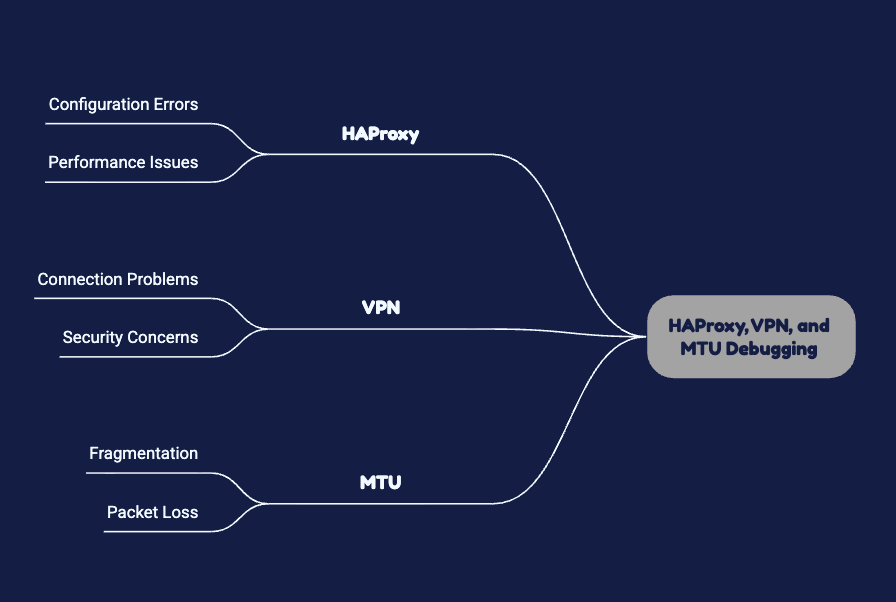
Why This Failure Is So Good at Hiding
The standard Ethernet MTU is 1500 bytes. Every host on your network assumes it. A VPN tunnel wraps each packet in additional headers, which means the payload that can actually cross the tunnel is smaller than 1500. The exact reduction depends on the tunnel type and the cipher, but the principle is constant: the effective path MTU is lower than what the endpoints believe.
TCP is supposed to handle this. During the handshake, each side advertises a maximum segment size derived from its local MTU. Both sides assume 1500, so both advertise a segment size that fits 1500. They agree. Neither of them knows about the tunnel in the middle.
The connection establishes. The client sends a small request. It fits. The server sends a large response. It does not fit. The router at the tunnel entrance sees a packet larger than the link can carry with the do-not-fragment bit set, and it does the correct thing: it drops the packet and sends back an ICMP message of type 3, code 4, meaning fragmentation needed but not permitted, along with the MTU it can actually carry.
The sender receives that message, reduces its estimate of the usable path MTU, and retransmits accordingly. This is the basic mechanism behind Path MTU Discovery.
Unless the ICMP message is dropped. Which it frequently is, because a security policy somewhere blocks ICMP wholesale, on the theory that ICMP is dangerous. The sender never learns. It retransmits the same oversized packet. It gets dropped again. It retransmits again, backing off exponentially. The connection stalls and eventually fails.
Now consider what an engineer sees. Ping works, because ICMP echo is small and, if it gets through at all, proves nothing about MTU. SSH connects and then freezes when output gets long. HTTP GET on a small endpoint works; the one that returns a large JSON document times out. A database connection opens and then hangs on the first substantial result set. Every symptom points somewhere other than the network.
Proving It in Under Five Minutes
The test is direct. Send packets of increasing size with fragmentation prohibited and find the size at which they stop arriving.
On Linux:
ping -M do -s 1472 backend.internal
ping -M do -s 1400 backend.internal
ping -M do -s 1372 backend.internal
The size argument is payload, so add 28 bytes for the IP and ICMP headers to get the total packet size. A payload of 1472 makes a 1500-byte packet.
If 1472 fails and 1372 succeeds, you have found your MTU problem and you have bracketed it. Bisect between them to find the exact ceiling.
If the failures return a message about the packet needing fragmentation, PMTUD is working and the path is reporting correctly. If they simply time out with no message at all, the ICMP is being dropped and you have both an MTU problem and a black hole.
Run this from the HAProxy host toward each backend, and from each backend toward HAProxy. The path is not necessarily symmetric, and a black hole in one direction produces failures that look nothing like a black hole in the other.
For a definitive picture, use tracepath, which discovers the path MTU hop by hop and shows you where it drops.
Where HAProxy Makes It Worse
HAProxy is a full proxy. It terminates the client connection and opens a separate connection to the backend. These are two independent TCP connections with independent path MTUs.
The client-side and backend-side connections can traverse very different network paths, with different MTU and firewall behavior. The client-facing path may work normally while the backend connection across the VPN encounters a Path MTU Discovery problem. So the client side is healthy and the backend side is black-holing, and HAProxy sits in the middle looking like the problem.
The symptom in the HAProxy logs is distinctive once you know it. Connections to the backend that establish and then produce a server-side timeout, with bytes sent to the backend but few or no bytes returned. The termination flags will show a server timeout. The health check, meanwhile, passes, because a TCP health check is small and an HTTP health check against a lightweight endpoint returns a tiny response. HAProxy believes the backend is perfectly healthy and keeps sending it traffic that dies.
This is why a simple TCP health check may report a backend as available even when larger application transfers are failing. Where practical, application-level health checks should exercise enough of the real request path to detect meaningful failures rather than only confirm that a port accepts connections. If MTU behavior specifically needs to be monitored, use a synthetic test designed to send packets or application payloads large enough to exercise the affected path.
Buffer configuration interacts here too. HAProxy’s buffer size determines how much data it handles per read. It does not change the MTU, but it changes how the failure presents, and tuning buffers to fix an MTU problem is a common wrong turn that produces a marginal improvement, convinces everyone the diagnosis was right, and leaves the actual problem in place.
The load balancer layer, including HAProxy and cloud provider balancers, is one of the stack components we manage under Nubius Managed AppOps, and MTU behaviour across a VPN path is exactly the kind of issue that sits between three teams and gets owned by none of them.
The Fixes, in Order of Preference
For IPv4, permit the ICMP Destination Unreachable, Fragmentation Needed messages required for Path MTU Discovery. This allows endpoints to learn when packets exceed the usable path MTU rather than repeatedly retransmitting packets that cannot pass. Review firewall policies along the full path to make sure these messages are not being unintentionally blocked.Clamp the maximum segment size at the tunnel endpoint. This is the pragmatic fix when you cannot control every firewall. The router terminating the tunnel rewrites the MSS value in the TCP SYN and SYN-ACK as they pass, so both endpoints negotiate a segment size that fits the tunnel regardless of what they believe their local MTU is. It works for TCP only, it works without touching any host, and it is the standard approach in most VPN deployments.
On Linux with iptables:
iptables -t mangle -A FORWARD -p tcp –tcp-flags SYN,RST SYN \
-j TCPMSS –clamp-mss-to-pmtu
Set the MTU explicitly on the interfaces. This works when you control both ends and the topology is stable. It is brittle in the sense that it must be applied everywhere consistently, and a host provisioned later without it becomes the one host that fails.
Do not solve it by disabling PMTUD, and do not solve it by permitting fragmentation. Fragmentation at intermediate routers is a performance penalty and a reassembly burden, and it produces its own failure modes when the fragments take different paths.
The Other Half: Timeouts That Look Like MTU
Not every hang across a VPN is MTU. The other common cause is timeout misalignment between HAProxy, the VPN, and the backend, and the symptoms overlap enough to waste an afternoon.
HAProxy has separate timeouts for connect, client, server, and tunnel. The connect timeout governs establishing the backend connection. Across a VPN with occasionally high latency, a connect timeout that was fine on a LAN becomes marginal, and you get intermittent connection failures under load that disappear when you test manually.
The server timeout governs how long HAProxy waits for the backend to respond. If it is shorter than the backend’s own processing time for its slowest legitimate request, HAProxy cuts the connection and the client sees an error while the backend completes the work successfully and logs a success. Two systems, two different accounts of the same request, no correlation between them.
Then there is the idle connection problem, which is specific to VPNs and stateful firewalls. A connection that sits idle gets its state entry expired by a firewall in the path. Neither endpoint knows. HAProxy reuses the connection from its pool, sends data, and it goes nowhere. The application sees an intermittent failure with no pattern, typically on the first request after a quiet period.
The fix is TCP keepalives configured to fire more frequently than the shortest state timeout on the path, and connection pool lifetimes shorter than that timeout. Find out what the firewall’s idle timeout actually is rather than guessing, then set your keepalive well inside it.
A Diagnostic Order That Works
When something across a VPN behind HAProxy is failing intermittently, work through it in this sequence rather than by intuition.
Confirm the path MTU with sized pings in both directions. This takes two minutes and either eliminates or identifies the most likely cause immediately.
Check whether ICMP fragmentation-needed is permitted end to end. If it is not, you have a black hole regardless of whether it is currently biting.
Compare HAProxy’s server timeout against the backend’s actual response time distribution at the 99th percentile, not the average.
Check the firewall idle timeout against your keepalive interval and connection pool lifetime.
Capture packets on both sides of the tunnel simultaneously for a failing request. Retransmissions of the same sequence number with no response is the signature of a black hole. A clean FIN or RST is something else entirely.
Correlate HAProxy termination flags with backend logs for the same request. If HAProxy says the server timed out and the backend says it responded in 200 milliseconds, the response did not arrive, and now you know exactly what you are looking for.
Prevention Is Configuration, Not Vigilance
MTU problems reappear. A firewall rule is tightened, a tunnel is rebuilt with a different cipher, a new subnet is added without the MSS clamp, and the black hole returns months after everyone forgot it existed.
Where MSS clamping is part of the chosen tunnel design, make it part of the standard configuration rather than a manual adjustment. Document the ICMP requirements for Path MTU Discovery in the firewall policy, and consider a synthetic test that exercises larger transfers across the path so MTU-related failures can be detected before they affect users.And build health checks that resemble real traffic. Health checks are most useful when they exercise the failure modes that matter to the application.The broader lesson is that hybrid paths are not LAN extensions and cannot be operated as though they were, which is a recurring theme in the problems we see during and after platform transitions and one we cover in our analysis of cloud migration risks.
Where Nubius Fits
HAProxy, VPN endpoints, Linux networking, and the backend services on the far side of the tunnel are all within the scope of Nubius Managed AppOps. We configure and monitor load balancers for high availability and efficient traffic distribution, manage the operating systems and core services underneath, and handle the monitoring and alerting that catches this class of problem before a user reports it.
For hybrid and multi-cloud estates where the path crosses providers and nobody owns the whole thing, Nubius OpsAssist AnyCloud provides advanced troubleshooting and performance monitoring across cloud, private, and hybrid environments regardless of platform.
If you have an intermittent failure that ping says does not exist, talk to one of our engineers.