
About the Author

Richard Lingsch
Enterprise Infrastructure Strategy, Nubius Solutions
Richard has spent 30+ years in infrastructure, hosting, cloud, and application delivery, from IT consulting at Deloitte to co-founding eApps Hosting, where he led the shift from Domino and Java/Tomcat hosting to Xen, KVM, and enterprise OpenNebula. He works with midmarket companies reassessing VMware and virtualization economics, helping them segment workloads and migrate only where the business case holds.
Cloudflare sits in front of the application, which means when anything goes wrong, Cloudflare is the first thing anyone blames. The status page is green, the origin looks healthy, and yet users are seeing an error page with a Cloudflare logo on it. The natural conclusion is that Cloudflare broke.
Often the underlying problem is not Cloudflare itself. The error page may be reporting a failure while Cloudflare is trying to reach the origin, or a problem caused by the configuration between Cloudflare and the application. The error code is therefore a useful starting point for determining where the failure occurred.
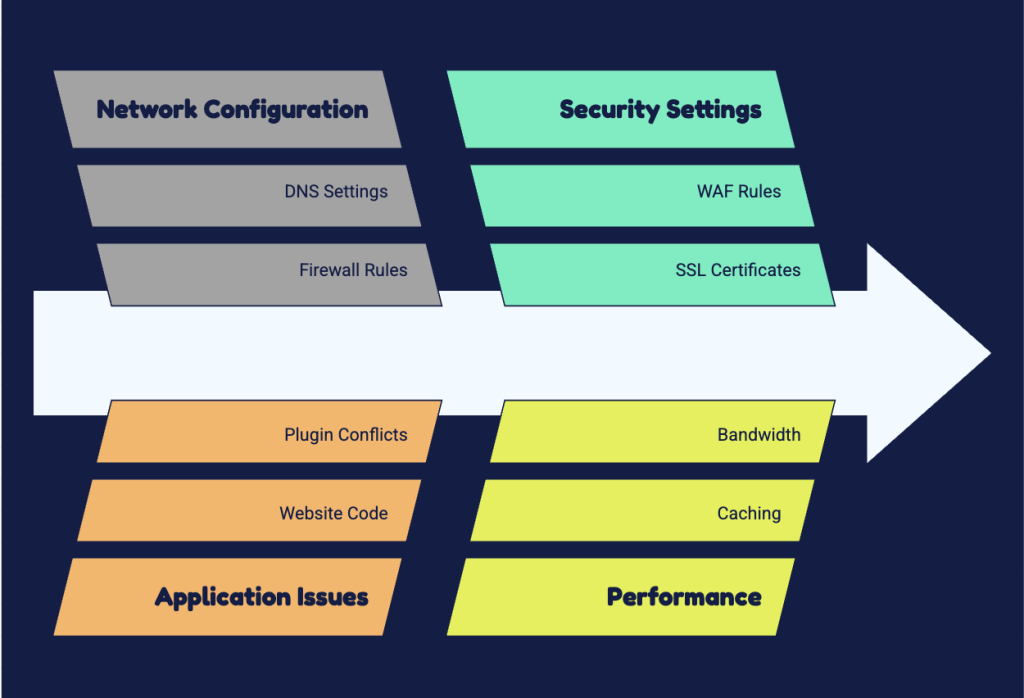
This is a systematic approach to debugging Cloudflare-fronted infrastructure, organised around what the error codes actually mean and what to check in what order.
First, Establish Where the Failure Occurs
Before touching any configuration, determine whether the failure is at the edge, in transit, or at the origin. This single step eliminates most wasted debugging time.
Request the origin directly, bypassing Cloudflare entirely, using the origin IP with an explicit host header override. If the origin responds correctly and Cloudflare does not, the problem is between them or in the Cloudflare configuration. If the origin also fails, Cloudflare has been reporting your outage accurately and you have been arguing with the messenger.
Then check the response headers on a proxied request. The CF-Ray header identifies the specific request and the edge location that handled it, and it is the identifier that makes a support conversation productive rather than theoretical. The cache status header tells you whether the response came from cache or from your origin, which immediately distinguishes a caching problem from an origin problem.
Test from more than one network. Cloudflare’s edge is distributed, and a problem affecting one point of presence looks like a total outage to the engineer sitting behind it and like nothing at all to the engineer in another country. If it works from one location and not another, you are looking at a routing or edge-specific issue, not a configuration issue.
Reading the 5xx Codes Properly
Cloudflare’s error codes in the 520 to 527 range are specific, and treating them as generic errors wastes days.
Error 520 means the origin returned something Cloudflare could not parse as a valid HTTP response. This is not a timeout and not a refusal. The origin answered with something malformed: an empty response, headers that violate the specification, a header that is too large, or a connection reset mid-response. The most common real cause is an origin returning oversized response headers, frequently from an application setting an enormous cookie. The second most common is an origin application crashing mid-response and closing the connection. Check the origin’s own error logs for the same timestamp, correlated with the CF-Ray if your origin logs it.
Error 521 means the origin refused Cloudflare’s connection. Common causes include a web server that is not listening or security controls that are blocking Cloudflare’s requests. If the origin firewall permits only Cloudflare source addresses, make sure the published Cloudflare IP ranges are allowed. Cloudflare notes that these ranges do not change frequently, but they should still be maintained as part of the firewall configuration.
Error 522 means the connection timed out. Cloudflare sent a SYN and got nothing back. This is the hardest one because the cause is genuinely ambiguous. It can be a firewall dropping rather than rejecting packets, an origin that is saturated and not accepting new connections, an MTU black hole on the path, or asymmetric routing where the origin’s return traffic takes a path that does not work. Check origin CPU and connection backlog first, then packet-level behaviour.
Error 523 means the origin is unreachable at the routing level. Usually a DNS record pointing at an IP that no longer exists, or a route that has been withdrawn.
Error 524 means Cloudflare successfully connected to the origin, but the origin did not provide a response within the allowed timeout. Cloudflare currently documents a default Proxy Read Timeout of 125 seconds. Common causes include long-running application processing or an overloaded origin. Where appropriate, long-running work can be restructured so the request returns promptly and processing continues asynchronously.
Error 525 and 526 are TLS failures between Cloudflare and the origin. 525 is a handshake failure, typically a cipher mismatch or the origin not supporting the required TLS version. 526 is an invalid origin certificate, which under Full Strict mode means expired, self-signed, hostname mismatch, or an incomplete chain. The incomplete chain case is instructive because browsers often tolerate a missing intermediate certificate by fetching it themselves, while Cloudflare does not. The site works in a browser directly and fails through Cloudflare, and the conclusion everyone reaches is that Cloudflare is broken. It is not. The certificate chain is broken and the browser was covering it.
Certificate expiry across the estate is becoming a more frequent source of exactly this class of incident as validity periods shorten, which we cover in detail in our piece on the reduction in SSL certificate validity.
The SSL Mode Setting That Causes Redirect Loops
Cloudflare’s SSL encryption mode determines how it talks to your origin, and getting it wrong produces one of the most recognisable failures in web infrastructure.
A common redirect loop occurs when Cloudflare is set to Flexible while the origin redirects all HTTP requests to HTTPS. Cloudflare continues connecting to the origin over HTTP, the origin continues redirecting to HTTPS, and the request cycles until the browser reports too many redirects.Flexible mode leaves traffic between Cloudflare and the origin unencrypted and should be avoided where the origin can support TLS. Full mode encrypts that connection but does not validate the origin certificate. Full (strict) adds certificate validation and is Cloudflare’s recommended choice whenever the origin can support it. A Cloudflare Origin CA certificate can be used when a publicly trusted certificate is not required at the origin.
If you are seeing redirect loops, check the SSL mode before checking anything in the application.
Caching: The Reason the Deploy Did Not Take Effect
Two distinct caching layers cause confusion. The edge cache holds responses at Cloudflare’s points of presence. The browser cache holds them on the user’s device. Purging the edge cache does nothing about the browser cache, and a user reporting stale content after a purge may be looking at their own browser.
By default Cloudflare caches static file extensions and does not cache HTML. Teams add a page rule to cache everything, which works beautifully until it caches a personalised page and serves one user’s content to another. If you cache HTML, you must be certain the response does not vary by user, and you must handle the cases where it does through cache keys or bypass rules for authenticated sessions.
The origin’s cache control headers are the correct place to express caching intent. Page rules and cache rules override them, which means you can end up with a policy at the edge that contradicts the policy in the application, and nobody knows which one is winning. Prefer origin headers, use edge rules for exceptions, and document the exceptions.
Development mode temporarily disables caching for three hours. It is a debugging tool. Leaving it on, or forgetting it is on, produces confusing performance results and unexplained origin load.
WAF Rules and the Legitimate Traffic You Just Blocked
The Web Application Firewall blocks malicious requests, and it also blocks requests that resemble malicious ones.
The pattern is consistent. A managed ruleset is enabled at a sensitivity that seemed reasonable. It works. Then someone builds an admin interface that accepts rich text, or an API that receives JSON with SQL-like strings in it, or a form that permits characters a rule considers suspicious. The WAF blocks it. The user reports that the feature is broken. The developer cannot reproduce it locally, because locally there is no WAF.
The debugging path is the firewall events log, filtered to the affected path and time. It will show the specific rule that fired and the request that triggered it. From there you can create a targeted exception for that rule on that path rather than disabling the ruleset, which is what happens when nobody knows where to look.
Rate limiting deserves the same scrutiny. A rate limit intended to stop credential stuffing will also stop a legitimate integration partner making bulk API calls from a single IP, and it will stop an entire office behind one NAT address. Rate limit by something more specific than source IP where the traffic profile makes IP-based limiting inaccurate.
Bot management blocks automated traffic, which includes your own monitoring, your uptime checks, and the partner integrations you forgot about. Allowlist them explicitly.
DNS and Proxy Status
The orange cloud toggle determines whether a record is proxied through Cloudflare or resolved directly to the origin. This is a security boundary, not a preference.
A record set to DNS-only exposes the origin IP publicly. If an attacker knows your origin IP, they can bypass Cloudflare entirely and attack the origin directly, and every protection you configured becomes decorative. This happens most often with records that were never meant to be public: a mail record, a legacy subdomain, a staging environment, a record created for a certificate validation and never removed.
Audit every record. Any record resolving to the same infrastructure as your proxied origin leaks the origin IP. If the origin IP has ever been public, changing it is the only real remediation, combined with origin firewall rules that permit only Cloudflare.
CNAME flattening at the apex, TTL behaviour during migrations, and the interaction between Cloudflare’s proxy and your own load balancer all deserve attention during a change. A DNS change made under time pressure is one of the more effective ways to cause an outage that lasts as long as the previous TTL.
Building a Debugging Discipline
A repeatable diagnostic sequence usually gets to the cause faster than changing settings by trial and error. Capture the CF-Ray, test the origin directly where appropriate, check the SSL mode and firewall events, compare proxied and direct responses, and correlate Cloudflare timestamps with the origin logs.
The difference is not talent. It is having a defined path through the problem, which is precisely what distinguishes operational maturity from certification, a distinction we explore in our piece on the cloud skills gap.
Where Nubius Fits
The origin behind Cloudflare is where most of these problems live, and that origin is exactly what Nubius Managed AppOps covers: NGINX and Apache configuration and tuning, HAProxy and cloud load balancers, Linux operating systems and core services, certificates, monitoring, and alerting. Getting the origin right eliminates most Cloudflare error codes before they are ever generated.
For advanced troubleshooting across whichever platform your origin runs on, Nubius OpsAssist AnyCloud provides expert-level support for cloud, private, and hybrid environments, including performance monitoring and security posture assessment.
If you are looking at a Cloudflare error page and the origin logs are not telling you why, talk to one of our engineers.